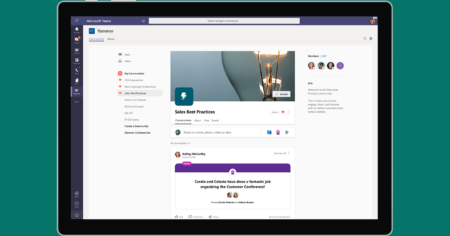
What’s That App? A Beginner’s Guide to Yammer
For most companies, employees spending time browsing social networks isn’t productive, but with Microsoft Yammer, it’s actively encouraged. In this edition of ‘What’s That App?’ we’ll dive into the enterprise social networking tool, Yammer, and how it could help bring your business together.
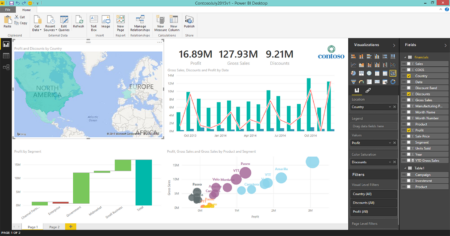
What’s That App? A Beginner’s Guide to Microsoft Power BI
With the first in our “What’s That App?” series, where we explore little-known apps you might already have access to, we’re going to look at Microsoft’s Power BI. If you’re someone who enjoys working with – and visualising – your business data, you’re going to love this.

Why Your Business Might Want to Switch to Microsoft 365 Before October 2020
If your business is still using a standalone version of Microsoft Office, and not Microsoft 365, you might want to consider making the switch soon. Why? Because, after October 13th 2020, Microsoft is making some changes which might affect the way you connect to important cloud services. Learn more in our detailed guide to all of the upcoming changes.

Feature Focus: Together Mode, Dynamic View, (and More) for Microsoft Teams
As the battle for supremacy in the digital workspace rages, Microsoft has ramped up its updates for Microsoft Teams. In this edition of Feature Focus, we’ll explore the newest features announced in July 2020: Together Mode, Dynamic View, and several other small updates.

The Microsoft Fluid Framework: The Future of the Digital Workplace?
Microsoft has already changed the face of the digital workplace with Microsoft Teams. Now, they’ve set their sights a little higher with a cross-application, real-time collaboration tool known as the Microsoft Fluid Framework. Here’s everything you need to know about Fluid.

Macs, Microsoft 365, and the Ever-Evolving Ethos of Modern-Day Microsoft
Microsoft 365 is the all-singing, all-dancing productivity suite which is enabling businesses across the world to get things done remotely. But what if you’ve got a Mac? Or an iPhone? Or an Android phone? Don’t worry, because Microsoft has changed, and in 2020, everyone’s invited to the Microsoft 365 party.

Microsoft is Ending Support for Office 2010. Here’s Everything You Need to Know.
On October 13th, 2020, Microsoft will be ending support for its Office 2010 suite of productivity software. In this article, we’ll explain exactly what “end of life” means, why your business should care, and explore the best options for businesses still using Office 2010 today.

Teams vs Zoom: Which is better?
Last week, Get Support’s founder James Craddock, sparked a debate on LinkedIn while giving a balanced response to the question: Which is better, Microsoft Teams or Zoom? In this article, we look at some of the comments and provide our own opinion too.

Feature Focus: The 3×3 Grid View for Microsoft Teams
Virtual meetings are quickly becoming the new normal, but big meetings can still feel a bit impersonal when you can only see a handful of faces at a time. In this Feature Focus, we’ll take a look at feature for Microsoft Teams which aims to change all that: the 3×3 Grid View.

Feature Focus: Custom Background Effects for Microsoft Teams
Whether you’d prefer to keep your messy bookshelf to yourself or simply want to keep focus on the meeting, there are plenty of reasons to use background effects in Microsoft Teams. In this Feature Focus, we’ll explore video call backgrounds in Teams and even show you how to set a custom image of your own.

Be Our Guest: The 2020 Guide to Managing External Users in Microsoft Teams
Microsoft Teams is fast becoming the go-to solution for collaborative work online. But what happens when you’re working with people outside of your business? Should you grant Guest access or External access? In this guide to external access in Microsoft Teams, we’ll answer that question – and more.
How to Upgrade Your Microsoft 365 Security (In 5 Easy Steps)
Whether you’ve been using Microsoft 365 for a while, or you’re brand new to Microsoft’s all-in-one productivity suite, there are lots of optional features you might not know about, especially around cybersecurity. In this plain English guide, we’ll share 5 ways you can supercharge your company’s IT security with optional Microsoft 365 upgrades.