The Plain English Guide to: Email Security & Phishing
In the latest instalment of our Plain English Guides, we take a look at email security. We explain some of the pitfalls of email. There are some useful tips to help users stay safe online, and we look at some of the technological solutions that are out there to help secure your email.

Teams vs Zoom: Which is better?
Last week, Get Support’s founder James Craddock, sparked a debate on LinkedIn while giving a balanced response to the question: Which is better, Microsoft Teams or Zoom? In this article, we look at some of the comments and provide our own opinion too.
The Plain English Guide to: Zero Trust Network Security
In the latest in our series of Plain English guides, we’ll give you the lowdown on Zero Trust network security, the holistic Zero Trust approach to IT security, and the options you have as a business for implementing it. If you’re looking to understand every option for keeping your business 100% cybersecure, this guide is a great place to start.

Feature Focus: The 3×3 Grid View for Microsoft Teams
Virtual meetings are quickly becoming the new normal, but big meetings can still feel a bit impersonal when you can only see a handful of faces at a time. In this Feature Focus, we’ll take a look at feature for Microsoft Teams which aims to change all that: the 3×3 Grid View.

Feature Focus: Custom Background Effects for Microsoft Teams
Whether you’d prefer to keep your messy bookshelf to yourself or simply want to keep focus on the meeting, there are plenty of reasons to use background effects in Microsoft Teams. In this Feature Focus, we’ll explore video call backgrounds in Teams and even show you how to set a custom image of your own.

Be Our Guest: The 2020 Guide to Managing External Users in Microsoft Teams
Microsoft Teams is fast becoming the go-to solution for collaborative work online. But what happens when you’re working with people outside of your business? Should you grant Guest access or External access? In this guide to external access in Microsoft Teams, we’ll answer that question – and more.
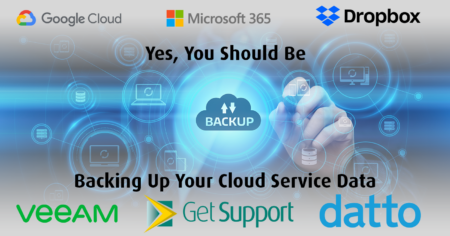
Yes, You Should Be Backing Up Your Cloud Service Data. Here’s Why.
More businesses than ever are relying on SaaS platforms like Microsoft 365 to power their businesses. There’s a natural assumption that cloud-based solutions like this automatically back up your data – but is that really true? In short, no. Here’s why you might want to think about backing up your cloud data.
The Plain English Guide To: User Access Control
In this Get Support Plain English guide, we’re going to zero in on one of the five key controls of the UK’s Cyber Essentials scheme: user access control. Well-designed and smartly deployed user access policies can mean the difference between rock-solid cybersecurity and business vulnerability.
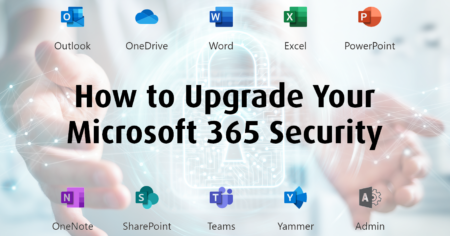
How to Upgrade Your Microsoft 365 Security (In 5 Easy Steps)
Whether you’ve been using Microsoft 365 for a while, or you’re brand new to Microsoft’s all-in-one productivity suite, there are lots of optional features you might not know about, especially around cybersecurity. In this plain English guide, we’ll share 5 ways you can supercharge your company’s IT security with optional Microsoft 365 upgrades.
A Brief Introduction to Get Support IT Services
For over 20 years, Get Support has been delivering comprehensive IT services to businesses, both small and large, across the UK. If you’re new to Get Support, or simply need a refresher on who we are and what we do, this is the only guide you need to the UK’s premier jargon-free IT company.
The Essential IT Security Checklist, Part 2: Beyond Cyber Essentials
In the second of our 2-part guide on essential IT security for businesses, the Get Support team will go beyond Cyber Essentials and provide some tips on advanced topics. If you want to understand all of the available options for protecting your business from cybercrime, this guide is for you.
The Essential IT Security Checklist, Part 1: Cyber Essentials
How well protected is your business against cyberattacks? With digital crime on the rise, and more people than ever online, it’s never been more important to ensure your IT is up to scratch. In part 1 of this 2-part guide, we’ll share the key advice you need to follow to stay cybersafe – all in line with the government-backed Cyber Essentials program.